Fork of VictorTaelin/OptMem
| anim | ||
| .gitignore | ||
| install.sh | ||
| memo | ||
| README.md | ||
| test.py | ||

OptMem
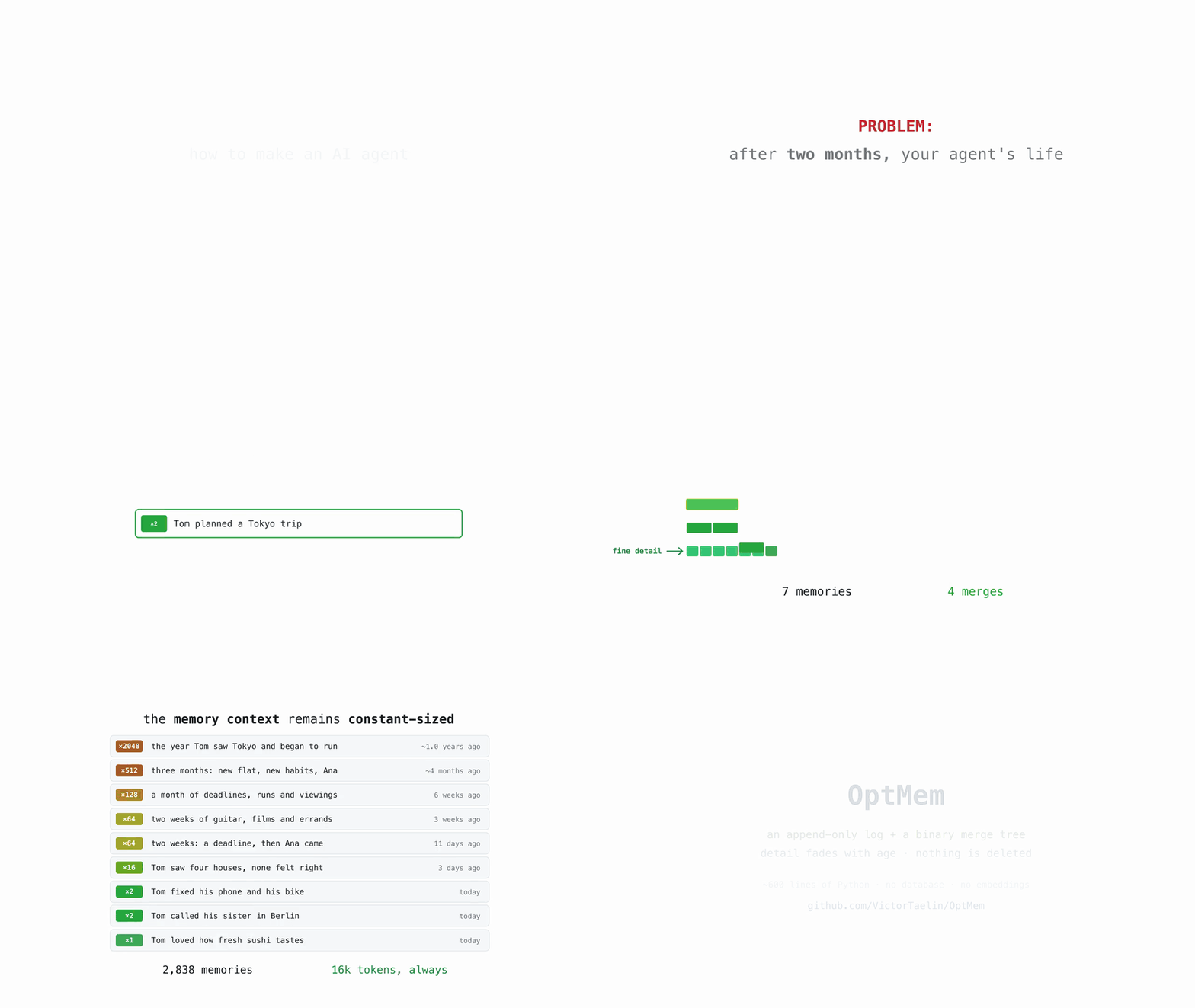
Permanent memory for AI agents. No database: a prompt and a script, plug and play.
Install
curl -fsSL https://raw.githubusercontent.com/VictorTaelin/OptMem/main/install.sh | sh
It prints a ## Memory block. Paste that at the top of your agent's
AGENTS.md (or CLAUDE.md), and you are done. Run the same line again to
update.
Commands
memo wake |
read the memory — the first command of every session |
memo note "..." |
record one memory: one line, up to 280 chars |
memo sleep |
answer the merges that came due |
memo recall <regex> |
search every memory ever recorded, word for word |
memo forget <lo>-<hi> |
drop a bad summary; the next sleep rebuilds it |
Merges arrive one at a time, in the output of note. Nothing ever runs in the
background.
Files
~/.optmem/
  memo          the tool: one file of Python 3, no dependencies
  memory/
    LOG.txt     every memory, one per line, append-only, never edited
    TREE/       the summaries: a cache, rebuildable from the log alone
    config      the sizes, written by `memo config`
memo config                  # show the sizes
memo config WAKE_LINES=300   # how many lines wake prints (208 ≈ 16k tokens)
memo config WAKE_LINES=      # back to the default
WAKE_LINES is the only size worth touching, and it is a reading budget, not
a storage budget: change it whenever, in either direction, and nothing is
recomputed.
Records are fixed width, so position is identity and every lookup is one
seek. At a million memories (607 MB), wake takes 0.03s.
Set $MEMORY_DIR to keep memory/ elsewhere — a synced folder, a git repo.
The prompt
This is what the installer prints, and the whole of the integration.
## Memory

Your memory is OptMem:
- The tool is `~/.optmem/memo`
- Your memories are in `~/.optmem/memory`

OptMem outlives every session, compaction, model and vendor change.
Without it you do not know who you are, or what was decided and tried.

### At startup: activating OptMem (mandatory)

Run `~/.optmem/memo wake` before any other tool call, in every session, and do
exactly what it prints, until it prints `You are awake.`

### While working: register memories (mandatory)

Call `~/.optmem/memo note "<1 line, max 280 chars>"` whenever you learn
something new, or something worth keeping happens. That covers a task
worth real effort, a fact or insight the user teaches you, anything you
learn about their life (even indirectly), any event of lasting effect.

Do not register redundant memories.

If `~/.optmem/memo note` asks a compression: do it before your next action.

Use `~/.optmem/memo recall <regex>` when a memory you need is too vague.

Never edit or delete anything under `~/.optmem/memory`: the tool manages it.

### If you're a subagent: skip everything above

Parallel sessions on this machine are all you, and may all write memories.
A subagent is not: it must never run `memo`, because it cannot judge what
is already known, and its notes would arrive duplicated and incorrectly.
When you spawn one, write: `You are a subagent. Don't run memo.`